

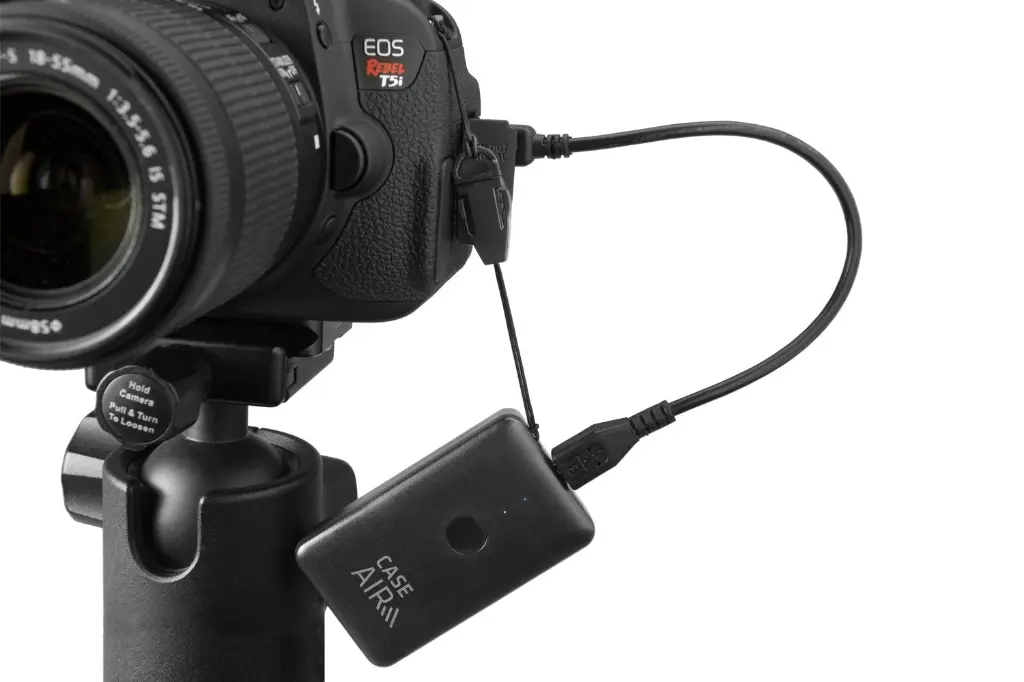
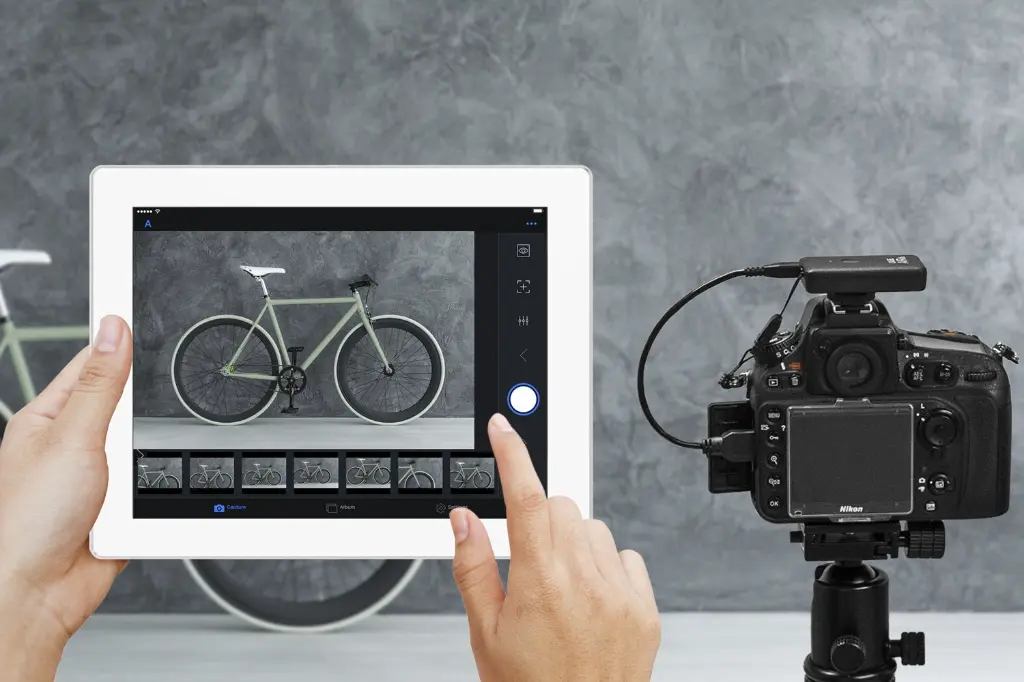
Product Overview
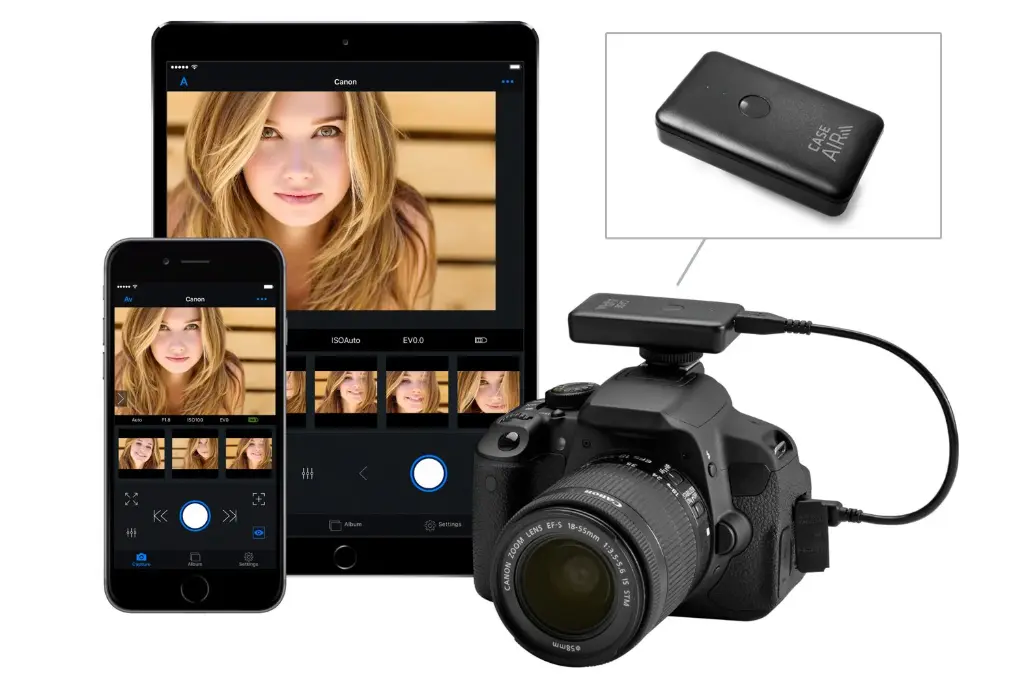
The Case Air Wireless Tethering System by Tether Tools is a compact wireless controller and tethering interface for cameras. It enables wireless control and monitoring of your camera via a mobile device (phone/tablet) or computer, without need for internet access. It creates its own Wi-Fi network to bridge the camera and remote device.
Key Features
| Feature | Description |
|---|---|
| Wireless tethering | The device connects to your camera via USB and then creates an ad‑hoc 802.11 b/g/n Wi-Fi network, letting your mobile/computer connect to it. B&H Photo Video+2PRWeb+2 |
| Range | Up to about 150 feet (≈ 45 meters) of wireless range for remote control capabilities. B&H Photo Video+2Photopoint+2 |
| Live view + touch controls | View a live image on your phone/tablet. Supports tap‑to‑focus, pinch‑to‑zoom for checking critical focus. B&H Photo Video+2Photopoint+2 |
| Full exposure control | Adjust aperture, shutter speed, ISO remotely. Also supports creative modes like bracketing, HDR, bulb timer, focus stacking, time‑lapse. B&H Photo Video+2Photopoint+2 |
| Wireless image transfer | Transfer images from camera to mobile device for quick review or sharing. B&H Photo Video+1 |
| Mounting / portability | Very light and compact (~50 grams). It can mount on camera hot shoe or use the included lanyard (or other mounting accessories). PRWeb+1 |
| Battery life | Around 6‑9 hours of continuous use under typical conditions. It can also be powered via external USB battery pack for longer sessions. B&H Photo Video+2Photopoint+2 |
Technical Specifications
| Spec | Value |
|---|---|
| Size | ~67.25 mm × 40.11 mm × 13.99 mm Kamera Express+2Photopoint+2 |
| Weight | ~1.76‑1.8 oz (~ 50 grams) Photopoint+1 |
| Wireless standard | 802.11 b/g/n B&H Photo Video+2Photopoint+2 |
| Range | ~150 feet / 45 meters B&H Photo Video+2Photopoint+2 |
| Power source | Internal battery, USB charging; external power option available PRWeb+1 |
| Compatibility | Many Canon and Nikon DSLR/mirrorless models; note that “live view” capability may depend on camera model. B&H Photo Video+1 |
Use‑Cases / Who It’s For
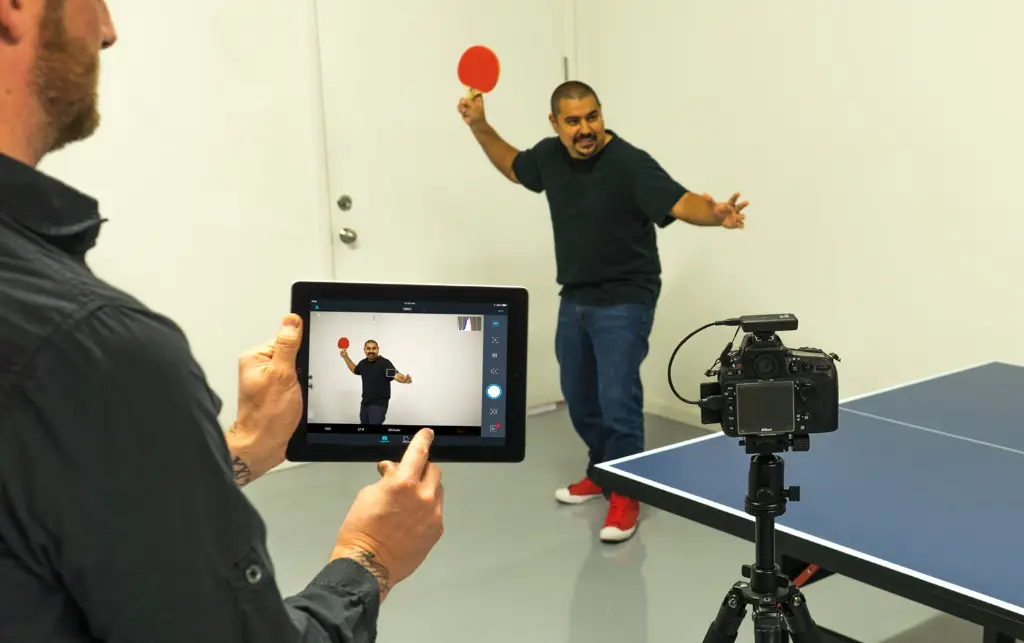
Studio photographers who want to control their camera remotely (for example tethering from a tablet) to adjust settings, check focus, etc., without walking back and forth.
On‑location shoots where mobility is needed, e.g. architectural photography, product shoots, wildlife setups, or where lighting or placement makes direct access difficult.
Videographers or time‑lapse shooters who need to adjust settings remotely or monitor the scene via larger display.
Clients, assistants, or art directors who want to preview shots/live view without touching the camera. The system permits separation of control and viewing (in some modes).
Advantages
Reduced cabling: No long tether cables needed between camera and viewer device; cleaner setup.
Flexibility: Mounts on the camera; with mobile devices, you can move around freely within the wireless range.
Comprehensive camera control: Not just start/stop & preview, but real control (exposure, focus, etc.), and creative modes.
Portability: Light and compact; easy to carry and attach.
Quick feedback: Ability to check focus and composition in real‑time on a larger screen helps improve quality.
Limitations / Things to Consider
Battery life: Although 6‑9 hours is good, continuous heavy usage (especially live‑view, image transfer) may reduce battery faster; external power may be necessary in long shoots.
Live view support depends on camera: Some camera models don’t allow full remote live view or restrict focus/zoom. Need to check compatibility for your specific model.
Wireless interference / environment: Ad‑hoc Wi-Fi can be susceptible to interference, obstacles, or signal degradation over range, especially outdoors or with obstructions.
Latency: Some delay is inevitable even with good wireless; in fast action shooting, may not be instantaneous.
Firmware / software dependency: Requires a stable, well‑supported app (Case Remote); updates and bug fixes matter. Also camera firmware compatibility could affect some features.
No internet required but if you want to share photos immediately to cloud/social, the mobile device needs its own internet connection.
Best Practices
Use an external battery bank for long sessions or when mounted location has no easy access to power.
Mount securely: hot shoe plus a backup (lanyard, harness, clamp) to avoid damage from falls.
Before critical shoots, test your specific camera + lens + setup to ensure live view, focus modes, etc., work properly via Case Air.
Reduce Wi‑Fi interference: less congested channels, avoid obstructions when possible.
Keep the firmware of both the Case Air device and app up to date for best reliability.
If you like, I can generate marketing‑style content (A+ copy) for this product, or compare it to competing wireless tethering solutions so you can see differences.